


 Tweet
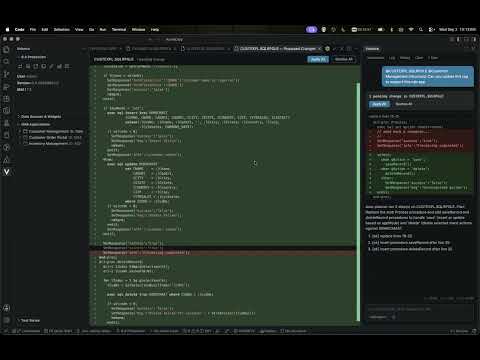
SUMMARY: In this month’s Valence Developer Diaries, the CNX Dev team kicked off a multi-part look at the new Valence extension for VS Code. After a quick tour of the extension, the team explored a Nitro App Builder (NAB) app right from VS Code, including its widgets, editable form fields, RPG calls, and the new App Map with flows, interactions, and insights. Then came the main demo: using the Valence Assistant to read the app’s structure and automatically fill out an RPG template program to handle its save and delete calls. The session wrapped up with Q&A on what data is sent to the AI, zero data retention, and token usage.
URL: https://youtu.be/HU923JpWItQ?si=rSYFRUXVklyHpDr4
TIMESTAMPS AND FEATURES COVERED:
00:23 - Installing the Valence VS Code extension
00:50 - Extension tour: connections, toolbar, and app trees
01:36 - Today’s demo: filling out an RPG template program with AI
02:34 - Reviewing the app’s RPG calls: save and delete actions
03:22 - Launching and editing the app inside VS Code
04:02 - Widgets, data sources, and editable form fields
05:00 - The App Map overview
05:53 - Viewing SQL and data for a data source
06:04 - Flows and interactions
07:19 - Insights: unused app variables, health, and RPG calls
08:01 - App variables: writers, readers, and listeners
08:31 - Reverse trace and section activity
09:24 - Most active widgets and app variables
10:01 - Chatting with the assistant about your app
10:30 - Adding the app structure and RPG program to the AI chat
11:46 - The assistant plans its changes
12:21 - Previewing and applying the generated code
12:39 - Reviewing the generated save and delete logic
14:03 - Compiling the program
14:18 - Q&A: Exporting the App Map to PDF
14:57 - Testing the app with the new RPG program
16:15 - Q&A: What data is sent to the AI, and retention policies
17:33 - Zero data retention (ZDR) models and providers
18:08 - Viewing the chat log to see exactly what’s sent
19:04 - Q&A: Token count and assistant usage
20:28 - Wrap-up
?
URL: https://youtu.be/HU923JpWItQ?si=rSYFRUXVklyHpDr4
TIMESTAMPS AND FEATURES COVERED:
00:23 - Installing the Valence VS Code extension
00:50 - Extension tour: connections, toolbar, and app trees
01:36 - Today’s demo: filling out an RPG template program with AI
02:34 - Reviewing the app’s RPG calls: save and delete actions
03:22 - Launching and editing the app inside VS Code
04:02 - Widgets, data sources, and editable form fields
05:00 - The App Map overview
05:53 - Viewing SQL and data for a data source
06:04 - Flows and interactions
07:19 - Insights: unused app variables, health, and RPG calls
08:01 - App variables: writers, readers, and listeners
08:31 - Reverse trace and section activity
09:24 - Most active widgets and app variables
10:01 - Chatting with the assistant about your app
10:30 - Adding the app structure and RPG program to the AI chat
11:46 - The assistant plans its changes
12:21 - Previewing and applying the generated code
12:39 - Reviewing the generated save and delete logic
14:03 - Compiling the program
14:18 - Q&A: Exporting the App Map to PDF
14:57 - Testing the app with the new RPG program
16:15 - Q&A: What data is sent to the AI, and retention policies
17:33 - Zero data retention (ZDR) models and providers
18:08 - Viewing the chat log to see exactly what’s sent
19:04 - Q&A: Token count and assistant usage
20:28 - Wrap-up
?