


 Tweet
SUMMARY: In this month’s Valence Developer Diaries, the CNX Dev team dove into a new Nitro App Builder (NAB) feature that makes it possible to have a single data source feed multiple widgets at once. The demo showed how the new Get Data behavior can load data one time, store it in an app variable, and share it with a grid and a map, cutting down on repeated calls to the back end. The team also showed how one widget can push its data to another so they stay in sync, and answered viewer questions about filtering and auto refresh.
URL: https://youtu.be/jrNThy-L-K4?si=MJUMi7N6ZnHWATdx
TIMESTAMPS AND FEATURES COVERED:
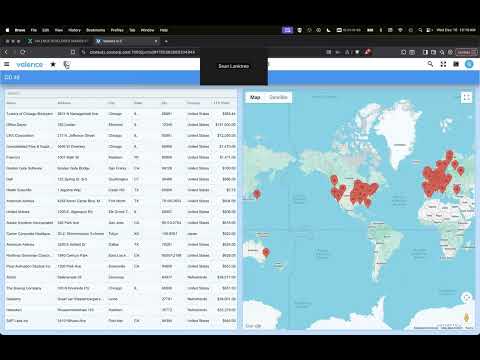
00:14 - Demo app overview: customer grid and map using the same data source
00:49 - The problem: each widget makes its own call to get data
01:39 - Setting both widgets to Autoload False
02:20 - Creating a “customer data” app variable
02:33 - The “Send to Back End” setting for app variables and why it matters
04:25 - Linking each widget’s Data property to the app variable
05:16 - Firing a “load initial data” event on startup
05:40 - The new Get Data behavior action
06:28 - Get Data options: All Data, Total Rows, Fire Event, First Row fields
07:14 - Testing: one call to the data source shared by both widgets
08:04 - Viewing the customer data app variable in developer tools
08:51 - Q&A: Grid with pre-filled filters making multiple calls
10:53 - Second demo: making the map mimic the grid’s data
12:24 - Pushing the grid’s data into an app variable
13:00 - Testing: the map instantly mirrors grid searches
13:52 - Q&A: Multiple widgets with the same data source but different filters
16:04 - Creating a filtered data app variable with an expression
19:04 - Reviewing the filtered results (Chicago example)
19:46 - Q&A: Using auto refresh with the Get Data behavior
21:07 - Wrap-up
URL: https://youtu.be/jrNThy-L-K4?si=MJUMi7N6ZnHWATdx
TIMESTAMPS AND FEATURES COVERED:
00:14 - Demo app overview: customer grid and map using the same data source
00:49 - The problem: each widget makes its own call to get data
01:39 - Setting both widgets to Autoload False
02:20 - Creating a “customer data” app variable
02:33 - The “Send to Back End” setting for app variables and why it matters
04:25 - Linking each widget’s Data property to the app variable
05:16 - Firing a “load initial data” event on startup
05:40 - The new Get Data behavior action
06:28 - Get Data options: All Data, Total Rows, Fire Event, First Row fields
07:14 - Testing: one call to the data source shared by both widgets
08:04 - Viewing the customer data app variable in developer tools
08:51 - Q&A: Grid with pre-filled filters making multiple calls
10:53 - Second demo: making the map mimic the grid’s data
12:24 - Pushing the grid’s data into an app variable
13:00 - Testing: the map instantly mirrors grid searches
13:52 - Q&A: Multiple widgets with the same data source but different filters
16:04 - Creating a filtered data app variable with an expression
19:04 - Reviewing the filtered results (Chicago example)
19:46 - Q&A: Using auto refresh with the Get Data behavior
21:07 - Wrap-up